

在主合同工具中设置或返还业主发票的保留金(旧版)
仅限 Procore 内部
此页面详细介绍了业主发票的旧体验。借助旧版体验,这些步骤也可以使用开发票工具执行。请参阅设置或返还业主发票上的保留金(旧版)。现代化体验中没有等效页面。相反,编辑保留金值的功能现在是 使用合同的会计方法更新明细项 中 编辑业主发票的 一部分。
背景
需要考虑的事项
- 所需用户权限:
- 项目主合同工具的“管理员”级别权限。
先决条件
步骤
- 导航到项目的主合同工具。
- 点击发票标签页。
- 找到要使用的业主发票。
- 点击详细信息标签页。
- 点击编辑按钮。
- 选择以下选项之一:
设置所有明细项的保留金
- Under Set Retainage on All Line Items, do the following:
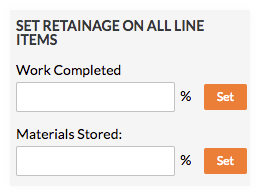
- Enter the percentage to withhold in the Work Completed box.
- Click Set.
- Enter the percentage to withhold in the Materials Stored box. To learn more, see How do I bill for stored materials in Procore? (Legacy)
- Click Set.
返还所有明细项的保留金
- Under Release Retainage on All Line Items, do the following:
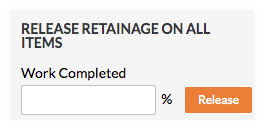
- Enter the percentage to release in the Work Completed box.
- Click Release.
另请参阅
If you would like to learn more about Procore's prime contract software and how it can help your business, please visit our construction contract management software product page  .
.
.