跳转到主内容
Procore

删除预算变更

 Phased Release
The new Budget Changes feature is designed to replace the existing budget modifications feature. Once you migrate to Budget Changes, you will no longer have access to the budget modifications feature. If you have any questions before your company starts the migration, contact your Procore point of contact. To learn more about the timeline for migration, see: Common Questions.

目标

从项目的预算工具中删除预算变更。

需要考虑的事项

  • 所需用户权限:
    • 项目预算工具的“管理员”级别权限。
      或者
    • 项目预算工具的"只读"或"标准"级别权限,并在你的权限模板上启用"创建、编辑和删除预算变更"细分权限。

步骤

  1. 导航到项目的预算工具。
  2. 点击预算变更标签页。
  3. 在列表中找到要作废的预算变更。接下来,点击其预算变更 # 链接。
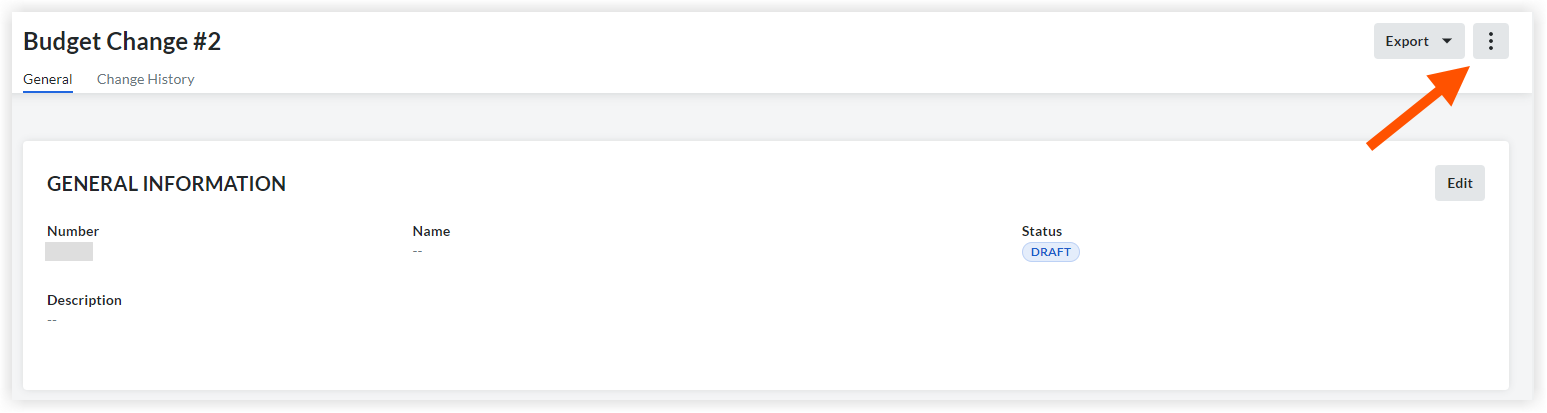
  4. 点击垂直省略号icon-ellipsis-vertical.png图标。
    delete-budget-changes.png
  5. 点击删除
  6. 将出现一个窗口,用于确认选择。
    点击删除注意:继续操作将永久删除此预算变更。此操作无法撤消。
    或者
    如果你不想删除预算变更,请点击取消

另请参阅

If you would like to learn more about Procore's budget management software and how it can help your business, please visit our construction budgeting software product page icon-external-link.png.