

在项目状态快照工具中查看和筛选快照
背景
项目状态快照工具可让用户查看、筛选和打开公司 Procore 项目的快照。
需要考虑的事项
-
所需用户权限:
-
要查看所有项目状态快照,需要项目状态快照工具的“只读”或更高权限。
-
用户还需要预算工具的"只读"或更高权限才能查看快照。
-
-
要更改项目状态快照的状态或导出快照列表,需要项目状态快照工具的"只读"或更高级别权限。
-
步骤
-
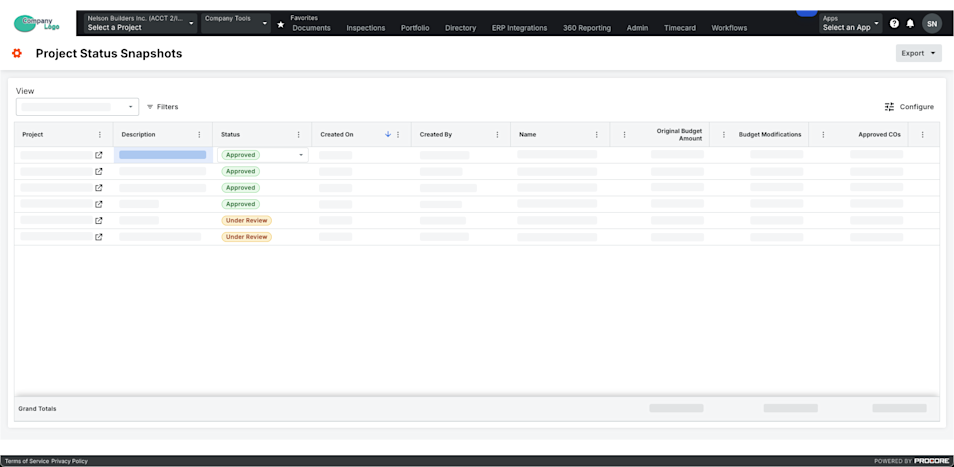
导航到公司级别项目状态快照工具。
-
在列表中找到快照。
注意:如果要查看快照,请点击 项目列中的图标。
重要提示
要查看特定 Procore 项目中的项目状态快照及其自己的临时快照,请授予用户对这些项目中预算工具的访问权限。
-
 (可选)按期间或比较期筛选:
-
期间。从此下拉列表中选择一个或多个期间。
注意
- 你可以从以下选项中进行选择:当前、上个期间、无或特定财务期间。
- 默认情况下,会选择当前期间,直到更改。
-
比较期。从此下拉列表中选择一个期间以与主要期间进行比较。请参阅在项目状态快照工具中分析快照之间的差异。
注意
- 你可以从当前、上一个或特定财务期等选项中进行选择。
- 如果你从比较期下拉列表中选择上一个选项,则会根据当前在期间下拉列表中选择的期间自动选择以往期间。
- 默认情况下,在更改之前,会选择上一期间。
重要提示
期间和比较期字段仅在启用财务期设置时可用。请参阅启用或禁用项目状态快照的财务期。
-
-
要筛选列表视图,请点击筛选器。
这将打开筛选器面板。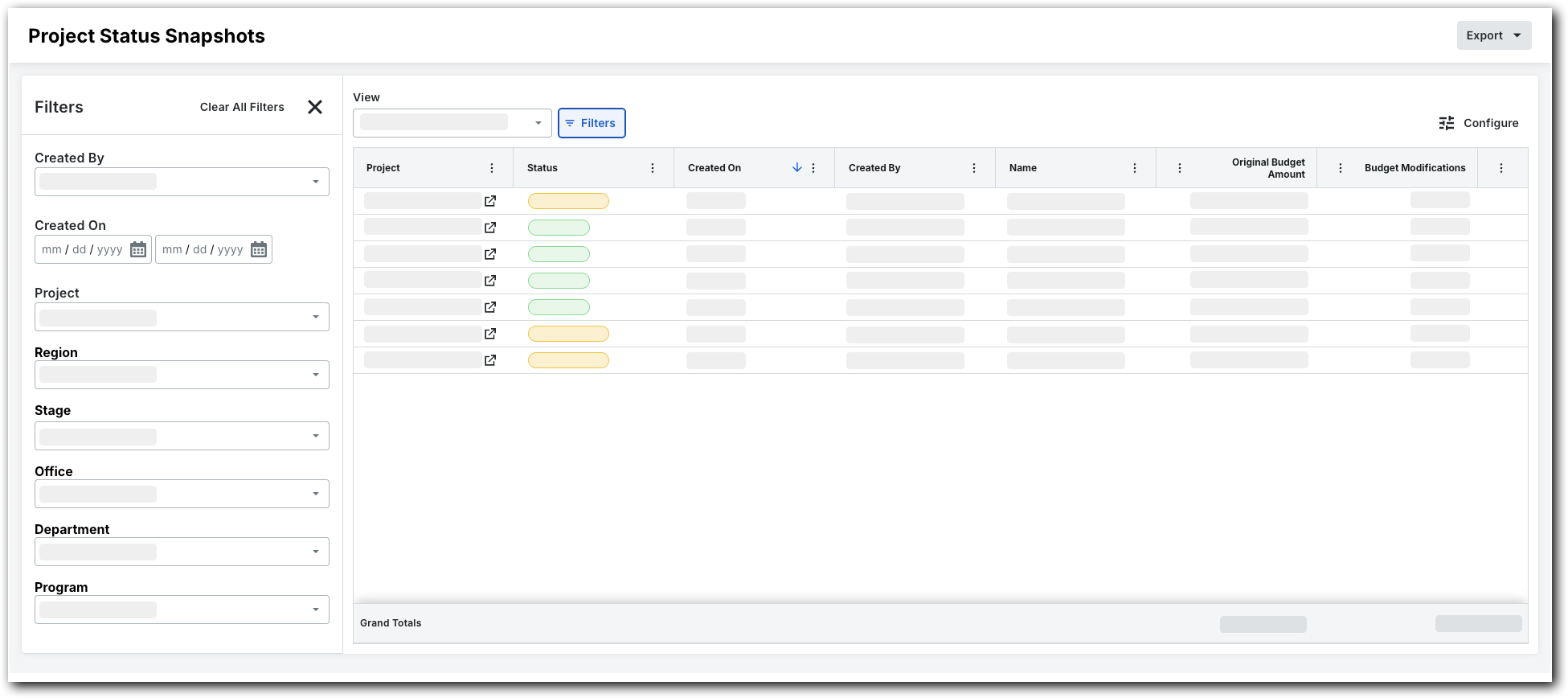
-
设置可用筛选器,以专注于要查看的快照。筛选器选项包括:
-
创建者。选择一个或多个快照创建者。
-
创建于。使用日历设置时间范围。
-
项目.选择特定项目以查看其快照。
-
地区。选择一个项目地区。
-
阶段.选择一个项目 阶段。
-
状态。选择自定义状态。有关如何创建自定义状态的详细信息,请参阅为项目状态快照创建自定义状态。
-
办公室。选择办公室。
-
部门。选择一个部门。
-
计划.选择一个计划。
-