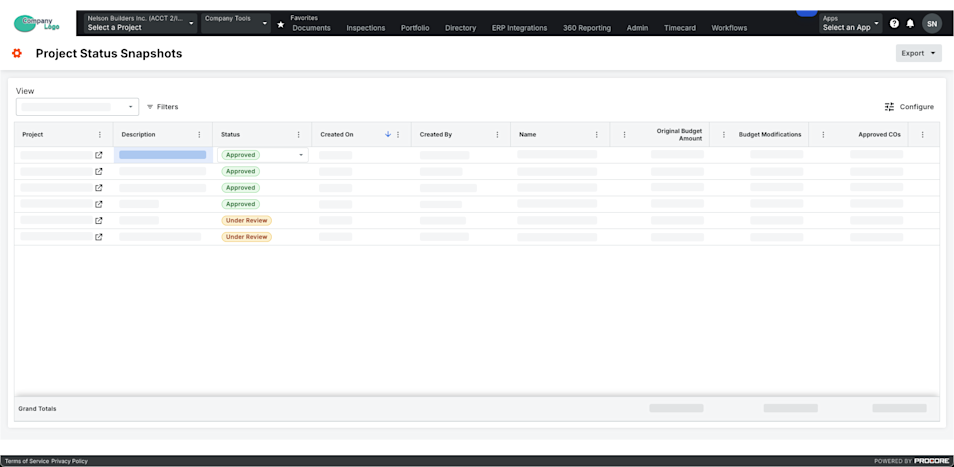
在项目状态快照工具中更改快照状态
背景
你可以从 Procore 中的三个地点更改或更新项目状态快照的状态,具体取决于你的工作流和权限。这可以通过项目级别预算工具中的"预算"和"项目状态快照"标签页完成,或从公司级别的项目状态快照工具中完成。当你更改这些任何地点中的快照状态时,它会自动在其他地点更新。
需要考虑的事项
-
所需用户权限:
-
项目级别预算或公司级别项目状态快照工具的"标准"或更高级别权限。
-
步骤
从预算工具的预算标签页更改状态
-
导航到项目级别预算工具。
-
在预算标签页上,从快照下拉列表中选择所需的快照。
-
点击预算 视图右上角工具栏中的编辑。
-
在"编辑快照"模式中,点击状态下拉列表并选择自定义状态。
-
点击更新以保存更改。
从预算工具的"项目状态快照"标签页更改状态
-
导航到项目级别预算工具。
-
点击项目状态快照标签页。
-
在表中找到所需的快照。
-
点击快照的状态单元格并选择自定义状态。
从项目状态快照工具更改状态
-
导航到公司级别项目状态快照工具。
-
在表中找到所需的快照。
-
点击快照的状态单元格并选择自定义状态。