从按进度收款账单工具启用合约上的已签发的付款标签页
目标
从按进度收款账单工具启用合约上的"已签发付款"标签页。
背景
可以在采购订单或分包合同上启用“已签发的付款”标签页。如以下步骤所示,此标签页中的控件让项目用户能够为采购订单或分包合同添加新的付款明细项。此外,还可提供便捷的清单,汇总项目所有已签发的付款。
需要考虑的事项
- 所需用户权限:
- 项目合约工具的“管理员”级别权限。
Notes
- User permissions are NOT managed in the project's Progress Billings tool. Instead, the Progress Billings tool is designed for users with 'Admin' level permissions on the Client Contracts and/or Commitments tool.
- If you are a collaborator (for example, an invoice contact for a subcontracting company that is performing work for a general contractor managing your contract in Procore), your ability to perform invoice-related tasks is determined by the project team that controls these settings for your Procore user account:
- Your user account's permissions on the project's Client Contracts and/or Commitments tool.
- Your membership on the 'Private' list of a specific client contract, purchase order, or subcontract.
- Your designation as an 'Invoice Contact' on a client contract, purchase order, or subcontract.
- To learn more about permissions for specific tasks that can be performed with the Progress Billings tool, see Permissions: Progress Billings.
步骤
- 导航到项目的按进度收款账单工具。
- 在分包商标签页下,点击合约列中的链接以选择你要处理的合约。
- 点击高级设置标签页。
注意
根据浏览器窗口的大小,此标签页可能会列为更多菜单中的一个选项。
- 点击屏幕右侧的编辑。
- 滚动到付款设置。
- 勾选启用付款复选框。
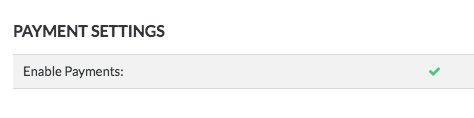
- 点击保存。
 The Progress Billings tool is only available to Procore customers in the United States who have implemented the Procore for Specialty Contractors point-of-view dictionary. To learn more, see (Limited Release) Owners & Specialty Contractors Point-of-View Dictionary Options.