查看分包合同
目标
在合约工具中查看分包合同的详细信息。
背景
根据已授予的权限,你可能能够查看分包合同的详细信息。
需要考虑的事项
- 所需用户权限:
- 要查看未标记为私密的分包合同,需要项目合约工具的“只读”级别或更高级别权限。
- 要查看标记为私密的分包合同:
- 需要项目合约工具的“管理员”级别权限。
或者 - 项目合约工具的“只读”或“标准”级别权限,并且你必须是分包合同上“私密”列表的成员。
- 或者
项目合约工具的"只读"或"标准"级别权限,并在权限模板上启用"查看工作订单合同"细分权限。 此权限允许你查看分包合同上的变更通知单标签页。
- 需要项目合约工具的“管理员”级别权限。
先决条件
步骤
- 导航到项目的合约工具。
- 在合同标签页下,找到采购订单或分包合同。然后点击编辑。
For companies using the ERP Integrations tool, color-coded icons and ribbons appear in relevant areas of Procore to show the current status of an item.
ICON RIBBON COLOR DEFINITION 

YELLOW Data that was sent ERP Integrations tool for approval has been retrieved from the tool by an end user.
OR
Data that was sent to the ERP Integrations tool has been rejected for export to the integrated ERP system by an accounting approver.

GREEN Data is synced between Procore and an integrated ERP system. 

BLUE Data was sent to the ERP Integrations tool and is waiting for accounting approver to accept it for export to the integrated ERP system. 
GREEN When a user is designated as an accounting approver, this badge appears next to their user profile in the Company and Project Directory. - 点击以下标签页查看分包合同的信息:
一般信息
- 一般信息
查看创建分包合同时输入的基本分包合同信息。 - 合同日期
查看重要的合同日期。 - 其他信息
查看合同的包含事项和除外事项。 - 合同摘要报告
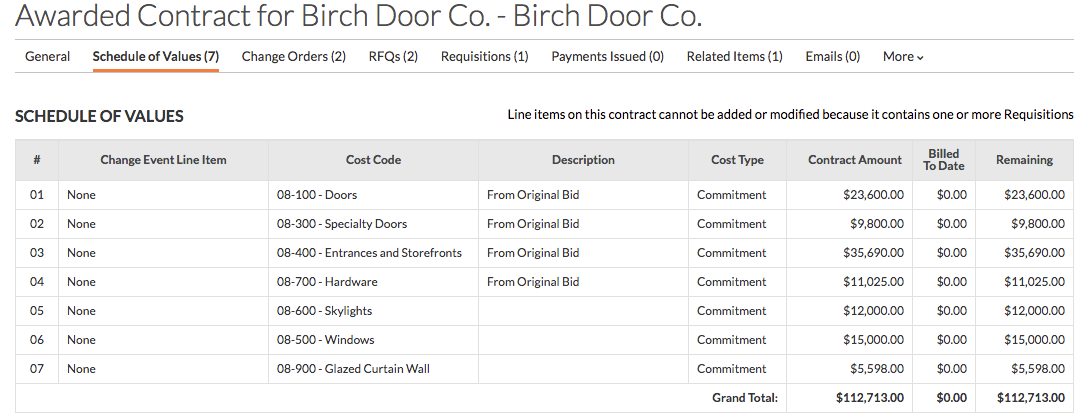
查看原始合同、获批变更通知单、已修订合同、待处理变更通知单、变更通知单草稿、发票、已签发的付款、付款百分比和未清算余额的金额。
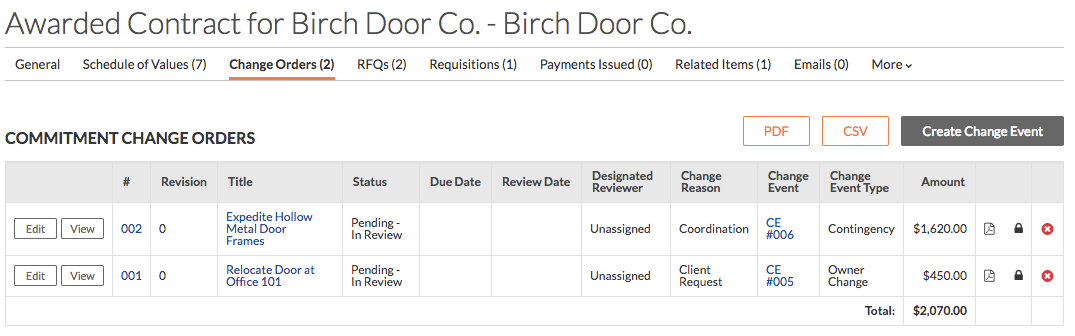
变更通知单
变更通知单标签页提供为该特定分包合同创建的任何变更通知单的概述。你可以查看每个变更通知单的状态、金额和截止日期。你还可以将每个变更通知单导出为 PDF 或 CSV。
注意
此标签页可供拥有合约工具“管理员”权限的用户使用。如果你拥有“只读”或“标准”权限,你必须成为合约“私密”列表的成员才能查看该列表,或者贵公司的 Procore 管理员必须授予你适当的细分权限。请参阅在权限模板中授予细分权限。
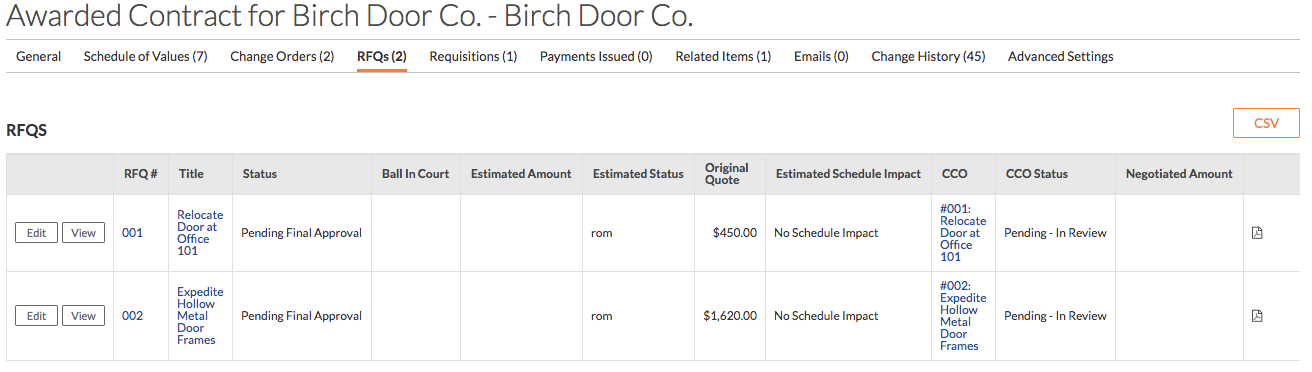
RFQ
如果项目启用了变更事件工具,此标签页会显示与分包合同相关的所有报价请求 (RFQ)。
发票
此标签页显示为该分包合同提交的所有发票,并概述期限、账单日、已修订合同总额、到期应付款、保留金、待支付余额和完工百分比。 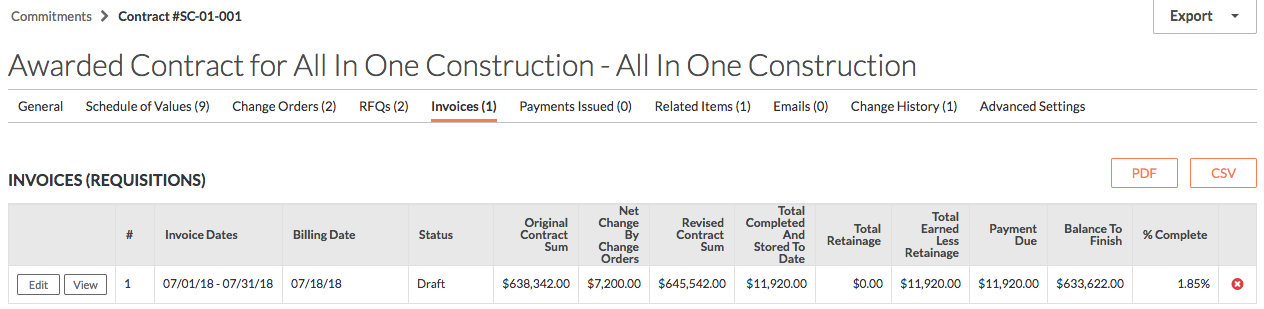
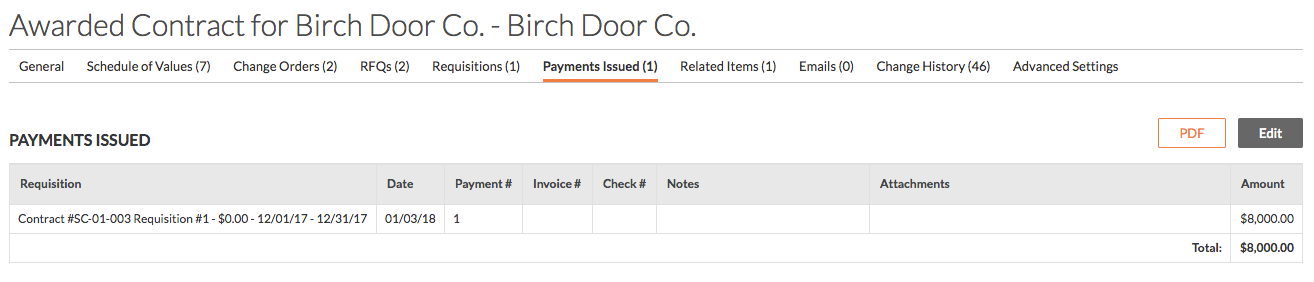
已签发的付款
此标签页显示已为分包合同签发的所有付款。
相关项
此标签页显示与分包合同相关的所有项。相关项可以手动添加到每个分包合同。在这种情况下,投标单自动列为相关项,因为此分包合同已从投标单转换为合同。

电子邮件
此标签页显示与分包合同关联的所有电子邮件通信。
注意
如果你拥有合约工具的“管理员”级别权限或包含在电子邮件中,你将只能查看此标签页。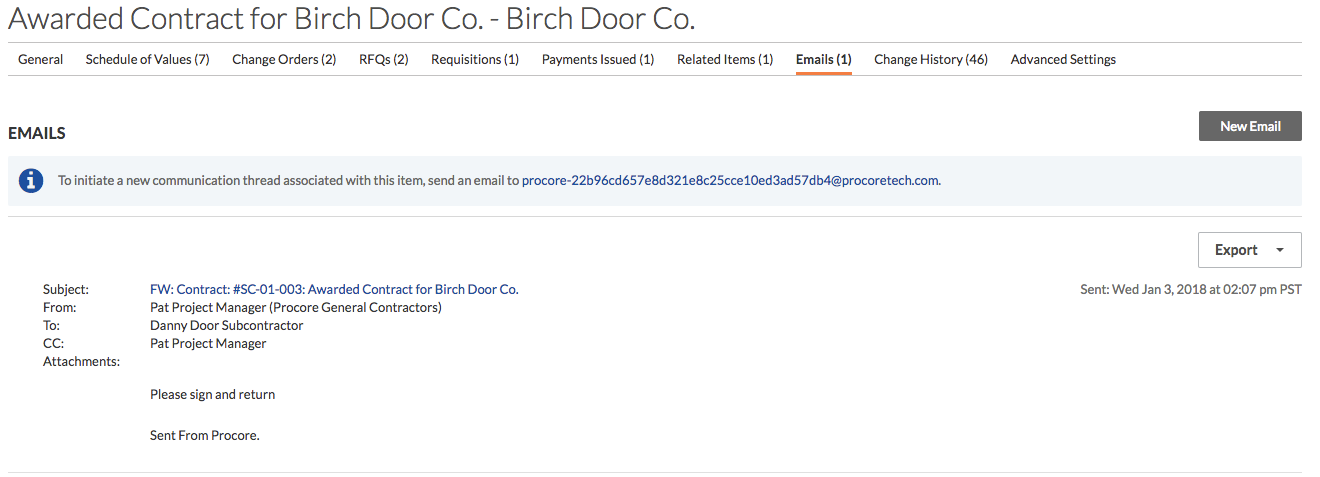
变更历史记录
变更历史记录标签页概述了对分包合同所做的变更、执行变更的人员、变更的详细信息、变更前的内容和变更后的内容以及变更的日期和时间。此历史记录中的项无法删除。
注意
如果你拥有合约工具的“管理员”级别权限,则只能查看此标签页。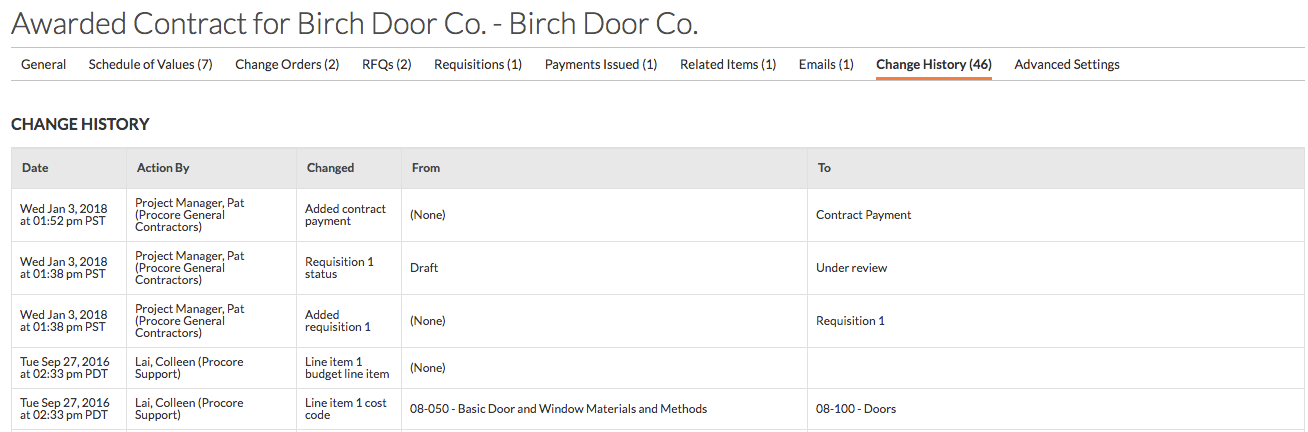
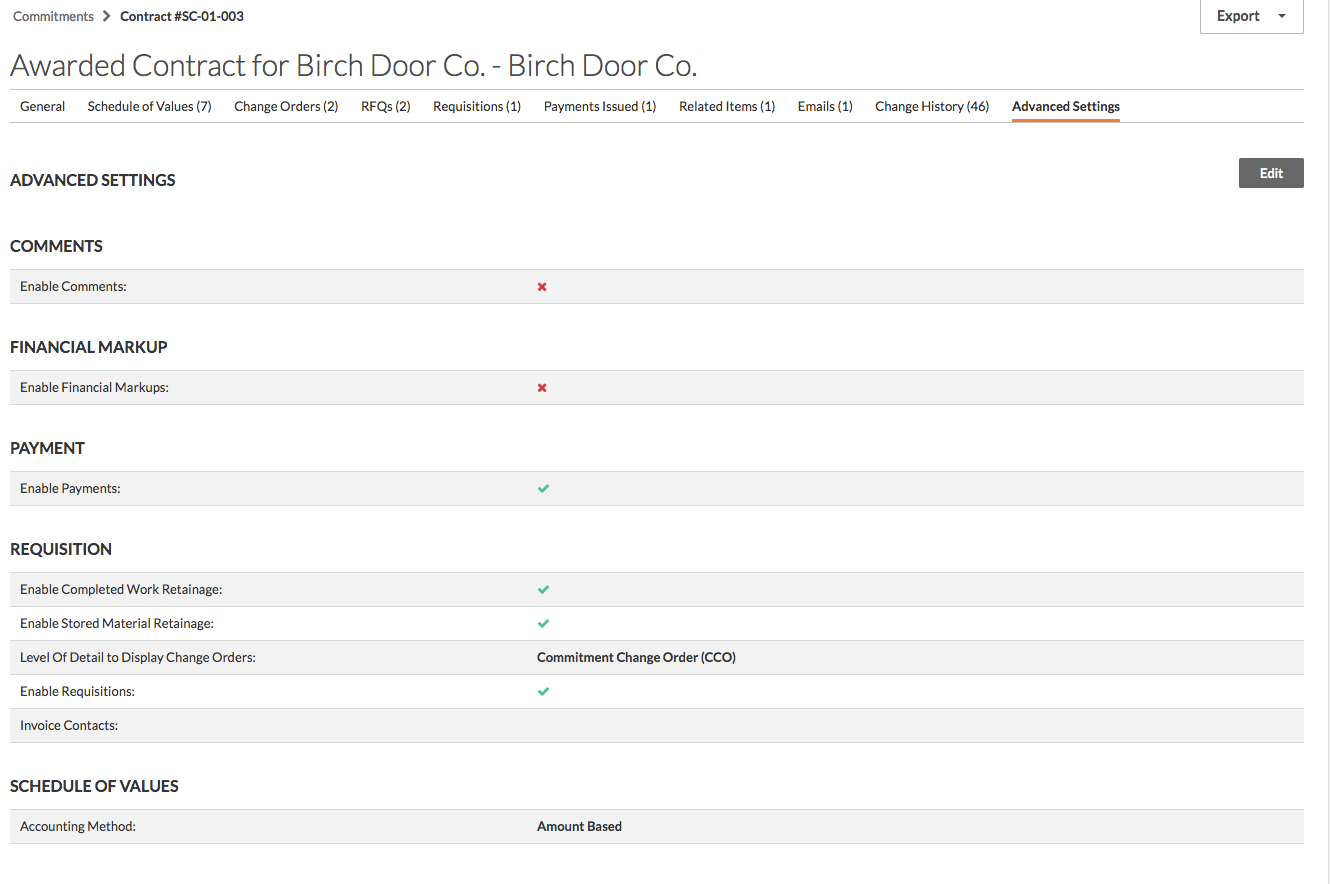
高级设置
此标签页显示可为分包合同配置的高级设置。
注意
如果你拥有合约工具的“管理员”级别权限,则只能查看此标签页。
If you would like to learn more about Procore's commitments software and how it can help your business, please visit our construction financials tool product page  .
.
.