

如何在资源规划中设置我的账户?
背景
使用资源计划的人员可以登录 Procore 并访问资源规划工具。
解答
用户被其公司的另一位用户邀请加入 Procore 和资源规划。 请参阅将人员添加到资源规划。受邀后,你将收到一封电子邮件,其中包含设置账户的说明。
在 Procore 中创建你的账户
- 在电子邮件中,点击开始。
- 输入密码。密码必须包括以下要求:
- 至少包含 8 个字符
- 至少包含一个大写字符
- 至少包含一个小写字符
- 至少包含一个数字字符
- 至少包含以下特殊字符之一 (! @ # $ % ^ & * ( ) - _ = + ` ~ ' " , < . > / ? [ { ] } \ | ; :)
- 重新输入你的密码以确认。
- 点击设置密码。
登录到资源规划
- Go to
 https://app.procore.com or https://login.procore.com/
 - Enter your Email address, and click Continue.
To save your email for next time, check Remember Email. For your security, always uncheck this box on a shared computer. - Enter your password, and click Continue.
Tip
Forgot your password, or has it expired? Click Forgot Password? to create a new one, or learn more by clicking Trouble logging in to Procore?
- If you have access to more than one company's Procore account, select a company and click Continue.
You are now logged in to Procore.
- 导航到公司级别资源规划工具。
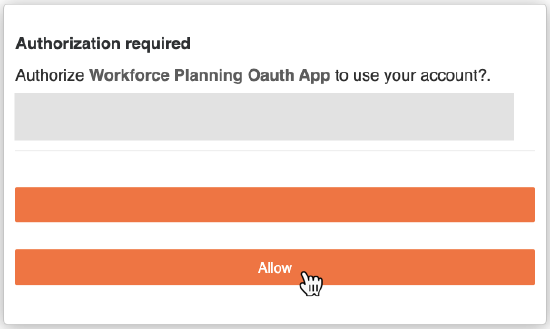
- 第一次导航到资源计划工具时,系统会要求你"授权资源计划"。点击允许。
你现在已登录到资源规划工具。